
LangGraph + MCP
LangGraph is an interesting distributed systems framework that exposes the agents as MCP tools. Let's explore that in a bit more detail

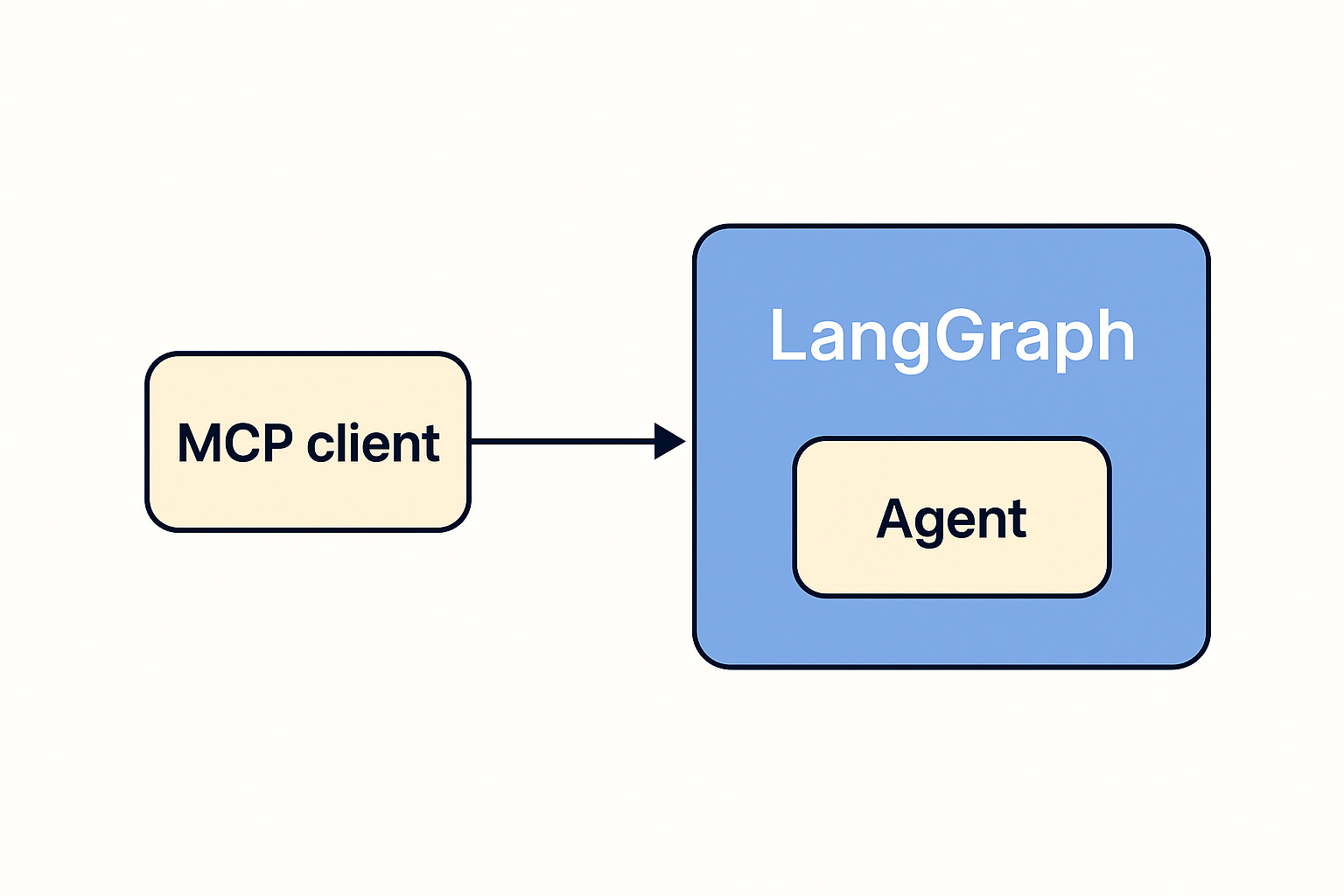
Background
I’ve been playing with LangGraph for my research agent, alongside MCP—which emerged as an RPC simplification almost by accident (see my hypothesis). That’s when I noticed the APIs LangGraph provides.
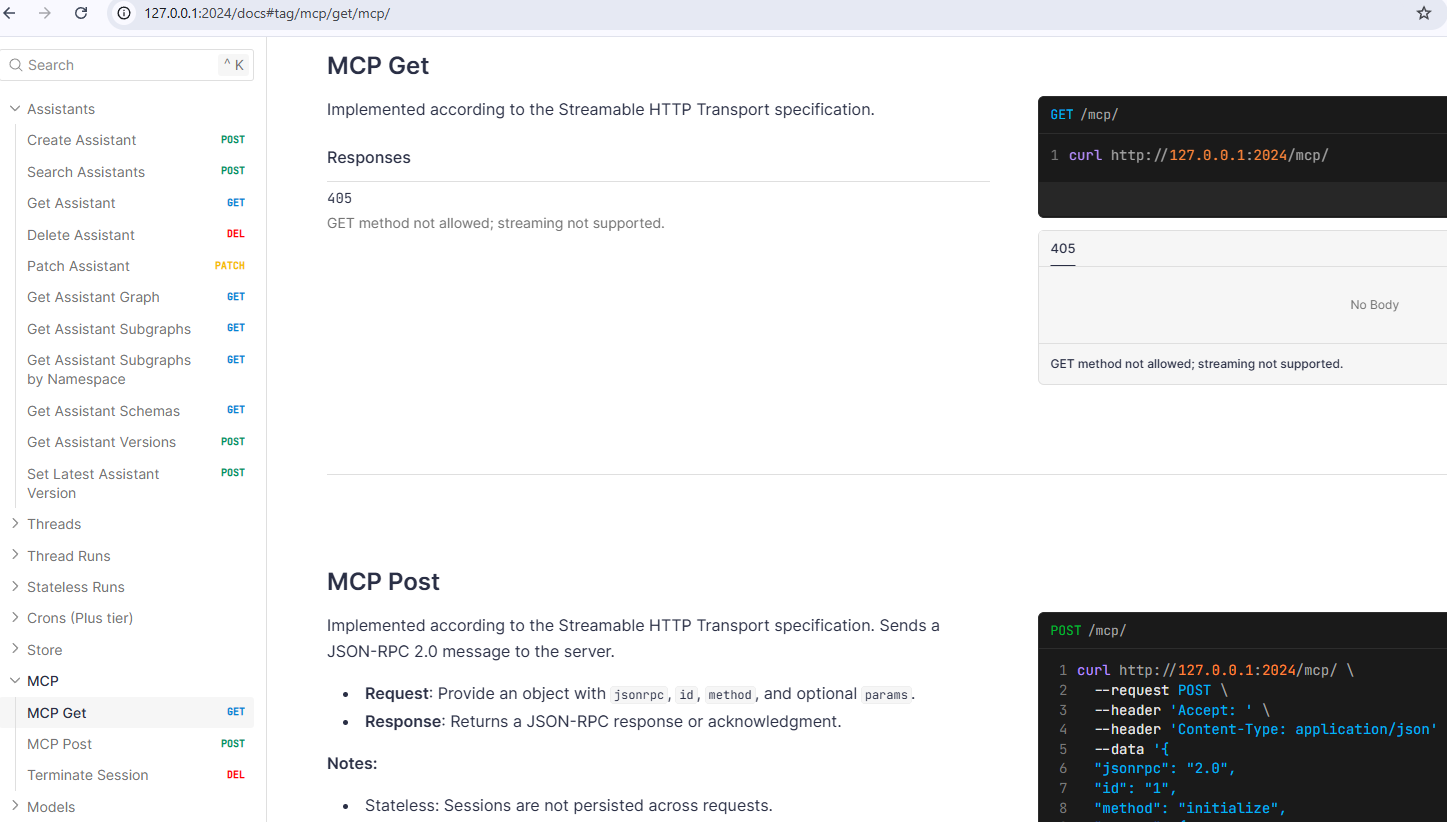
And hey—look at that, MCP is right there. After a bit more digging, I found this walkthrough, but I found it a bit dull and decided to build something of my own.
The Agent
I set out to create an agent that demonstrates LangGraph’s flexibility for interesting use cases—even ones with no LLMs or AI involved.
The example I chose is trivial—counting to 100—but it showcases some of the subtleties of LangGraph’s state management, especially in distributed contexts like MapReduce problems.
State
Let’s start with the state definition.
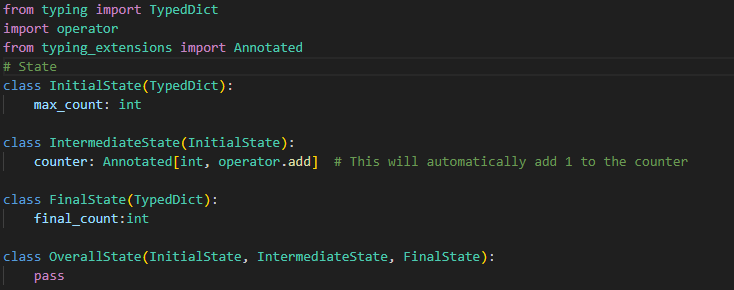
You could argue it’s overengineered, but it follows a pattern I’ve used in other agents, so I stuck with it.
The key line is:
counter: Annotated[int, operator.add]This tells LangGraph to reduce the counter value using + when merging state across nodes. Fields without such annotations default to a last-write-wins approach.
That’s a handy mechanism for distributed systems where locking would introduce contention—you merge parallel executions instead of serializing them.
Nodes and Conditional Edges
Next, let’s look at the execution units: nodes and conditional edges.
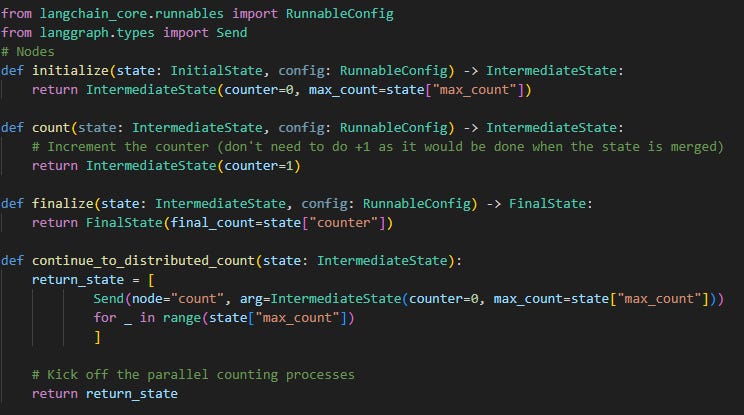
Notice that the “count” node doesn’t do counter = counter + 1. Instead, it simply returns 1, which gets aggregated when running max_count executions, triggered by the continue_to_distributed_count conditional edge.
Conditional edges support both dynamic node routing and state manipulation. I used the Send command to “map” execution across max_count runs of the “count” node. This generalizes well to MapReduce-like problems—LangGraph handles it cleanly when it makes sense for your use case.
The Compiled Graph
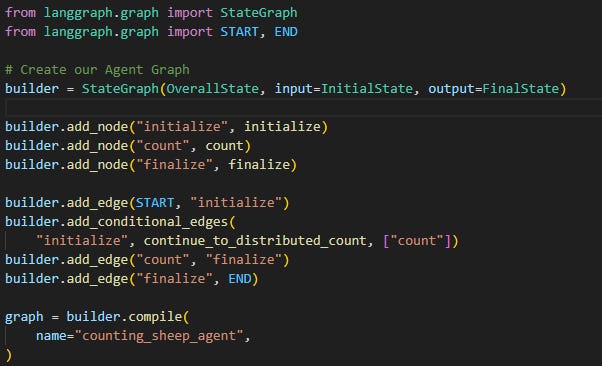
I named the agent counting_sheep_agent, but how do we give it a meaningful description so it can be surfaced as an MCP tool?
You’ll need to update your langgraph.json file—the one used to launch the LangGraph server.
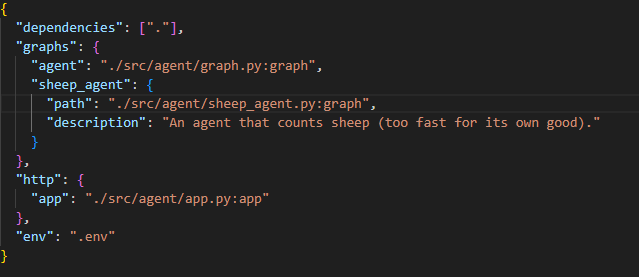
You’ll find a description for sheep_agent in there, alongside another agent I’m not yet exposing/using as MCP tool.
Agent as MCP tool
Let’s put it to use. I previously showed how simple this is in LM Studio.

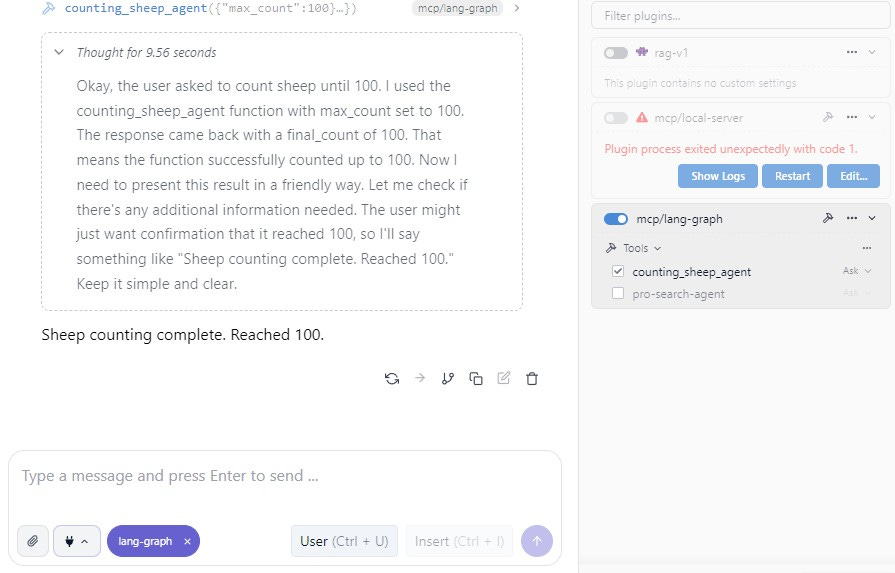
Here’s the LM Studio setup I’m using:
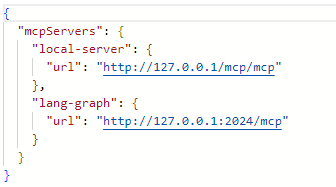
Note: The LangGraph server is running my agents.
Now I can ask a question, and my MCP tool gets picked up and prompts me for permission to run.
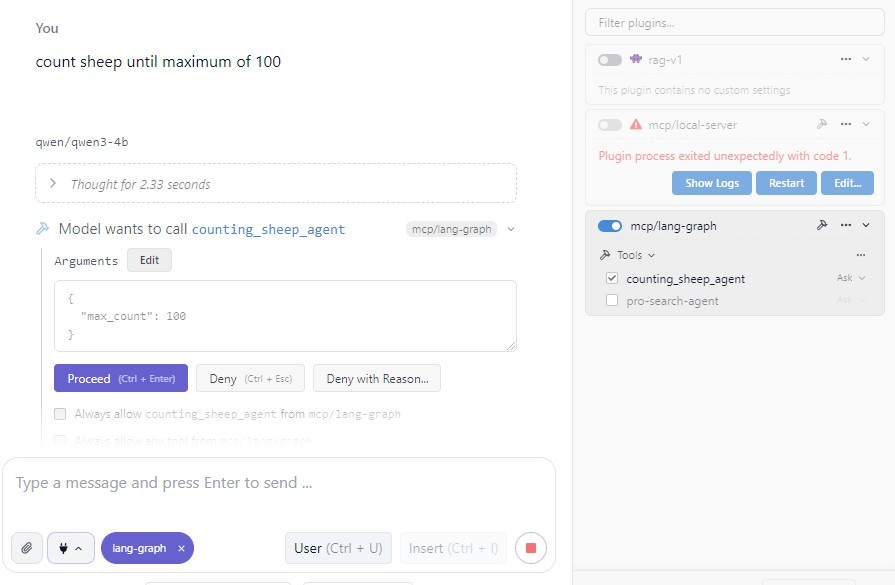
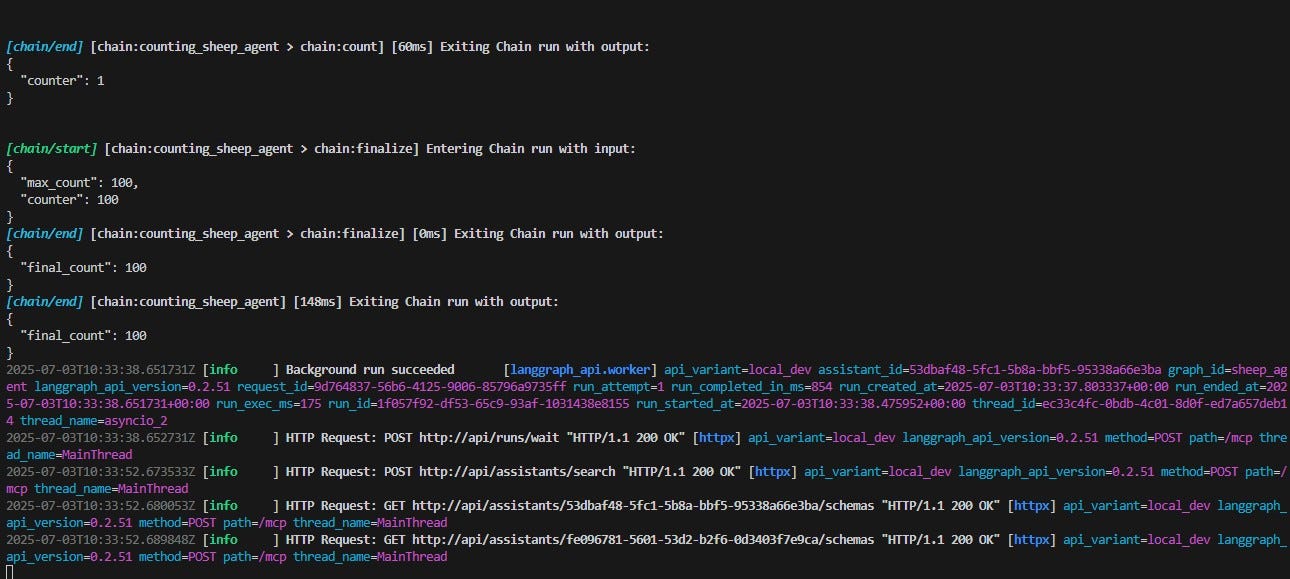
Once approved, I see its execution in the live debugger.
And finally—the result.
Wrap Up
People often question whether we really need MCP, suggesting it doesn’t solve entirely new problems. I mostly agree. Still, it’s hard to deny some clear benefits:
It simplifies RPC
It lets you modularize your AI system and plug it into whatever UX you want—whether that’s an IDE, LM Studio, etc.
Treating AI agents as MCP tools supports decomposition in hierarchical architectures, but for peer-to-peer you will need to look at more advanced standards (e.g. A2A).
There are challenges, of course—like IAM, auditability, and intervention mechanisms—but those exist regardless of whether we use MCP or something else.

Everything I write are my opinions and perspectives and do not represent my past, current of future employers.